















JiraAzure SQL Server

Jira + Azure SQL Server

Jira is a widely used project management and issue-tracking platform developed by Atlassian.

With Erathos, your Jira data is loaded into Azure SQL Server already normalized into relational tables, ready to power Power BI reports or internal applications already running in the Microsoft ecosystem.

Get started

14-day free trial. No credit card required.

Trusted by great companies

Ace Startups
Kamino
Convenia
Vakinha
Linus
Rabbot
Auvo
Roqt
Xperiun
Tecnova
WePayments
Brick
CCM
Simplified extraction and ingestion

Move data in a few clicks

1

Connect your source

Authenticate your account and you're done. 100+ ready-made connectors, no code required.

2

Configure the sync

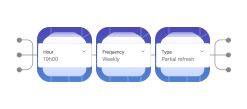
Pick the tables, the schedule and the update type: batch, cursor-based incremental or CDC.

3

Choose your destination

Load into BigQuery, Redshift, Databricks, PostgreSQL, ClickHouse, Amazon S3 and more.

What Jira data does Erathos sync with Azure SQL Server?

The integration automatically syncs key Jira objects:

  • Projects status, assignees, dates, and settings
  • Issues and subtasks priority, status, estimates, and assignees
  • Sprints dates, velocity, and planning data
  • Members users, roles, and workload
  • Comments history of discussions and decisions
  • Custom fields custom properties and tags configured by the team

Why sync Jira with Azure SQL Server?

In Azure SQL Server, you integrate Jira data into the Microsoft ecosystem, using Power BI for executive dashboards and Azure Data Factory to orchestrate broader data pipelines.

Available data

What Jira sends to Azure SQL Server

16 Jira tables can be synced to Azure SQL Server. Each table is created in Azure SQL Server with the same name it has in the connector, inside the schema you choose when setting up the connection.

A closer look at some tables

issues

115 base fields, plus your account's custom fields
Primary key
id
Fields for incremental loads
fields.updated
Some of the fields
idfields.updatedexpandfields.aggregateprogress.percentfields.aggregateprogress.progressfields.aggregateprogress.totalfields.aggregatetimeestimatefields.aggregatetimeoriginalestimatefields.aggregatetimespentfields.assignee.accountIdfields.assignee.accountTypefields.assignee.activeand 103 more


projects

16 fields
Some of the fields
avatarUrls.16x16avatarUrls.24x24avatarUrls.32x32avatarUrls.48x48idinsight.lastIssueUpdateTimeinsight.totalIssueCountkeynameprojectCategory.descriptionprojectCategory.idprojectCategory.nameand 4 more

users

11 fields
Some of the fields
accountIdaccountTypeactiveavatarUrls.16x16avatarUrls.24x24avatarUrls.32x32avatarUrls.48x48displayNameemailAddresslocaleself

A first query in Azure SQL Server

Reading the Jira issues table straight from Azure SQL Server. Replace your_schema with the schema you chose for the connection.

SELECT TOP 10
  id,
  JSON_VALUE(fields, '$.updated') AS fields_updated,
  JSON_VALUE(fields, '$.aggregateprogress.percent') AS fields_aggregateprogress_percent,
  JSON_VALUE(fields, '$.aggregateprogress.progress') AS fields_aggregateprogress_progress
FROM your_schema.issues
ORDER BY fields_updated DESC

Nested fields such as fields.updated generally land in Azure SQL Server as JSON, in a column named after the top level (fields). That is why the query reads them with Azure SQL Server's JSON functions.

Available tables

  • dashboards
  • events
  • groups
  • issue_changelogs · under issues
  • issue_comments · under issues
  • issue_components · under issues
  • issue_links · under issues
  • issue_subtasks · under issues
  • issue_worklogs · under issues
  • issues · supports custom fields
  • project_categories
  • project_details · under projects
  • project_status · under projects
  • projects
  • user_groups · under users
  • users
Why companies move data from Jira to Azure SQL Server with Erathos

Centralizing Jira data in Azure SQL Server has never been easier

Erathos is a data ingestion platform built for data and engineering teams. With the Jira connector, you can automatically centralize issues, boards, and sprint metrics in Azure SQL Server — always up-to-date data, full visibility into every run, and zero maintenance.

Why do data teams choose Erathos for Jira?

Jira data in Azure SQL Server in minutes

14-day free trial. No credit card required.
Our partners

Building data-driven stories

“Every new source implementation, if I had to do it myself, would take about two or three months. With Erathos, it's done in a few hours. I don't need the skills of a data engineer to generate real value from the company's data.”

Bruno Rosso
Bruno RossoData Analyst, Brick Software

“Erathos revolutionized data management at WE. By integrating multiple SaaS tools into a single DW, our technical team now focuses on the core business. We implemented dashboards with insights across every area, enriching our organizational culture and improving our decision-making.”

Matheus Nunes
Matheus NunesCTO & co-founder, WePayments

“We used to have a lot of rework, and now we don't. It's more efficient to work this way. If it's not your core business, hire Erathos. Spend your time modeling your own domain, not someone else's.”

Carlos Schwabe
Carlos SchwabeCo-Founder & CDO, Brick

“If I didn't have this infrastructure, I'd need three or four people to do what Erathos does today. I was able to generate real value from my data with a much leaner setup than I thought I'd need. That's the core of building a data-driven culture: the team only uses data when they can trust it.”

Thiago Paz
Thiago PazCFO, Brick

“Erathos brought a practical turnaround at CCM. We were able to integrate financial systems, CRM, and processes with BigQuery in just a few clicks, with no technical team required. That gave us a reliable data warehouse that powers automations, dashboards, and even our customer service bots.”

Gustavo Loforte
Gustavo LoforteTechnology Manager, CCM Group

“The robustness and efficiency of Erathos's connectors — whether for Meta, Google, RD Station, or ERPs like Bling and Conta Azul — make the whole process much faster and more reliable. The technical documentation is extremely well put together and intuitive, which makes implementation much easier.”

Sayuri Valente
Sayuri ValenteProject Manager, Xperiun
Explore

Other paths for your data

Other sources that land in Azure SQL Server

CRMs, ERPs, ad platforms and databases, all through the same managed pipeline.

See every source
FAQ

Frequently Asked Questions

Erathos is a data ingestion platform built for reliability, transparency, and control. We help data teams connect tools like Jira to their data warehouse—with full observability into every run, zero maintenance, and none of the black-box behavior of traditional market solutions.

Erathos syncs Jira issues, projects, sprints, members, comments, statuses, and delivery metrics to your Data Warehouse incrementally, with no code required.

You can configure sync frequency from every 5 minutes up to daily, at the table level. Erathos uses incremental sync—only new or updated records are processed in each run, keeping the Jira pipeline efficient and Azure SQL Server costs predictable.

Erathos automatically detects failures and sends alerts to your email, Slack, or Discord with full context — not just “job failed.” Smart retries handle transient errors, and every run is logged with runtime, rows processed, and error context so your team can debug in minutes, not hours.

Yes. Every Erathos connector includes a 14-day free trial. Connect Jira to Azure SQL Server and start syncing right away — no credit card required.

Data ingestion with control, observability and scale