


Trusted by great companies












Move data in a few clicks

Connect your source
Authenticate your account and you're done. 100+ ready-made connectors, no code required.
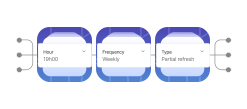
Configure the sync
Pick the tables, the schedule and the update type: batch, cursor-based incremental or CDC.

Choose your destination
Load into BigQuery, Redshift, Databricks, PostgreSQL, ClickHouse, Amazon S3 and more.
What Twygo data does Erathos sync with BigQuery?
The integration automatically syncs the main Twygo objects:
- Core entities — automatically synced objects and records
- Custom fields — custom properties included in the sync
- Historical data — full initial load and incremental updates
Why sync Twygo with BigQuery?
Centralizing Twygo data in BigQuery eliminates manual exports and spreadsheets — and allows your team to join this information with other sources for analysis that was previously impossible. An automatically updated data warehouse is the foundation for faster, more reliable decisions.
How it works
Erathos connects to Twygo via the official API and syncs your data incrementally — only new or updated records are processed in each run, keeping pipelines fast and BigQuery costs predictable. You choose the sync frequency (from 5 minutes to daily), the objects to sync, and the target dataset. Each run is logged with full observability: run time, rows processed, error context, and instant alerts via Slack or email if anything goes wrong.
Centralizing Twygo data in BigQuery has never been this simple
Erathos is a data ingestion platform built for reliability, visibility, and control. With the Twygo connector, you can automatically move operational and business data to BigQuery — with full observability into every run and zero maintenance.
Data in your data warehouse in minutes
Ready-to-use Twygo connector
Connect Twygo to BigQuery in minutes with our native connector. Data is synced automatically—no code required, with full observability for every run.
Learn moreComplete control over your Twygo pipelines
Configure schedule, frequency, and sync type at the table level. Incremental synchronization processes only new or modified records—keeping BigQuery costs low and your analyses always up to date.
Learn moreEnd-to-end observability
Stop finding out about Twygo failures only when the business team complains. Every run is logged with runtime, rows processed, and error context. Get automatic alerts via Slack, Discord, or email as soon as something goes off track — with data always up to date and ready for analysis.
Learn moreBuilding data-driven stories
“Every new source implementation, if I had to do it myself, would take about two or three months. With Erathos, it's done in a few hours. I don't need the skills of a data engineer to generate real value from the company's data.”


“Erathos revolutionized data management at WE. By integrating multiple SaaS tools into a single DW, our technical team now focuses on the core business. We implemented dashboards with insights across every area, enriching our organizational culture and improving our decision-making.”


“We used to have a lot of rework, and now we don't. It's more efficient to work this way. If it's not your core business, hire Erathos. Spend your time modeling your own domain, not someone else's.”

“If I didn't have this infrastructure, I'd need three or four people to do what Erathos does today. I was able to generate real value from my data with a much leaner setup than I thought I'd need. That's the core of building a data-driven culture: the team only uses data when they can trust it.”

“Erathos brought a practical turnaround at CCM. We were able to integrate financial systems, CRM, and processes with BigQuery in just a few clicks, with no technical team required. That gave us a reliable data warehouse that powers automations, dashboards, and even our customer service bots.”


“The robustness and efficiency of Erathos's connectors — whether for Meta, Google, RD Station, or ERPs like Bling and Conta Azul — make the whole process much faster and more reliable. The technical documentation is extremely well put together and intuitive, which makes implementation much easier.”












Other paths for your data
Other destinations for Twygo


Other sources that land in BigQuery
CRMs, ERPs, ad platforms and databases, all through the same managed pipeline.
Frequently Asked Questions
Erathos is a data ingestion platform built for reliability, transparency, and control. We help data teams connect tools like Twygo to their data warehouse—with full observability into every run, zero maintenance, and none of the opacity found in traditional market tools.
Erathos automatically syncs Twygo’s main objects and entities to BigQuery. To check which specific tables and fields are available in the Twygo connector, see our documentation or contact our support team.
You can configure the sync frequency from every 5 minutes up to daily, at the table level. Erathos uses incremental synchronization—only new or updated records are processed on each run, keeping the Twygo pipeline efficient and BigQuery costs predictable.
Erathos automatically detects failures and sends alerts to your email, Slack, or Discord with full context—not just "job failed." Smart retries handle transient errors, and every execution is logged with run time, processed rows, and error context so your team can debug in minutes, not hours.
Yes. Every Erathos connector includes a 14-day free trial. Connect Twygo to BigQuery and start syncing immediately—no credit card required.